
HRIFY

The HRify mobile app for staff and managers

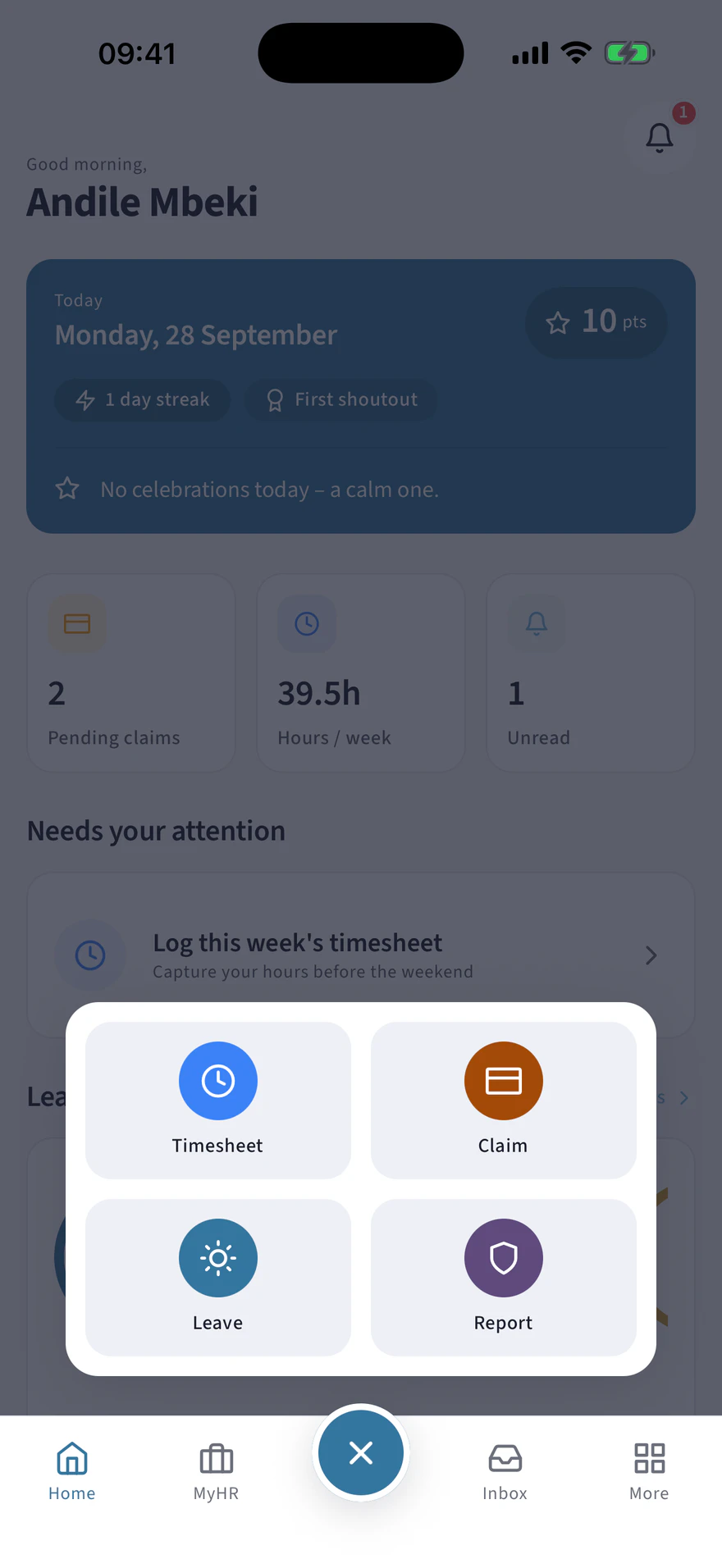
HRify has its own iOS and Android app. It has four tabs, and a centre button that opens the four things people do most: apply for leave, fill in a timesheet, submit a claim, or report an incident.

The app is for people whose employer already uses HRify. You sign in with the account your employer gave you.

The HRify mobile app, screen by screen

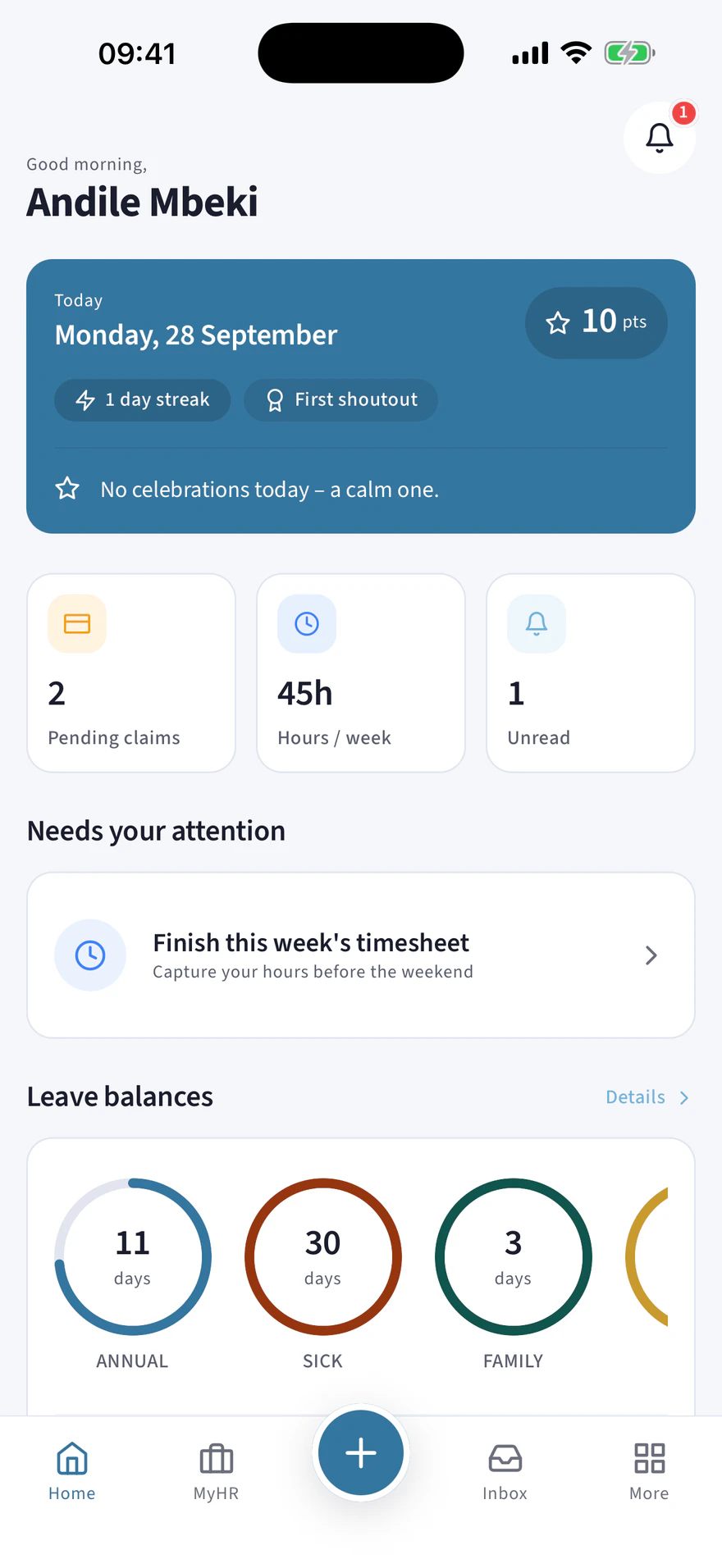
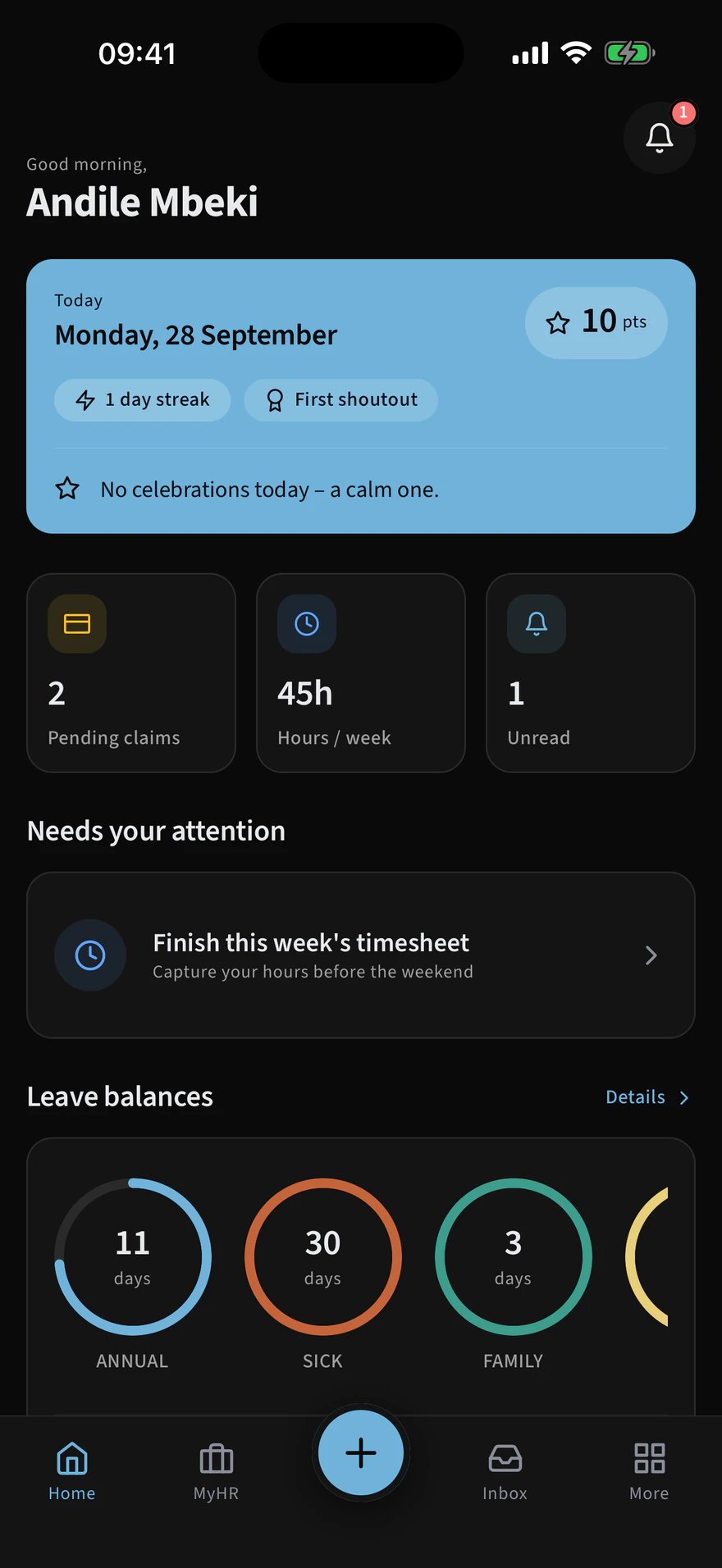
HRify mobile home screen with pending claims, hours this week and leave balances
Home
The centre button opened into leave, timesheet, claim and report an incident
Quick actions
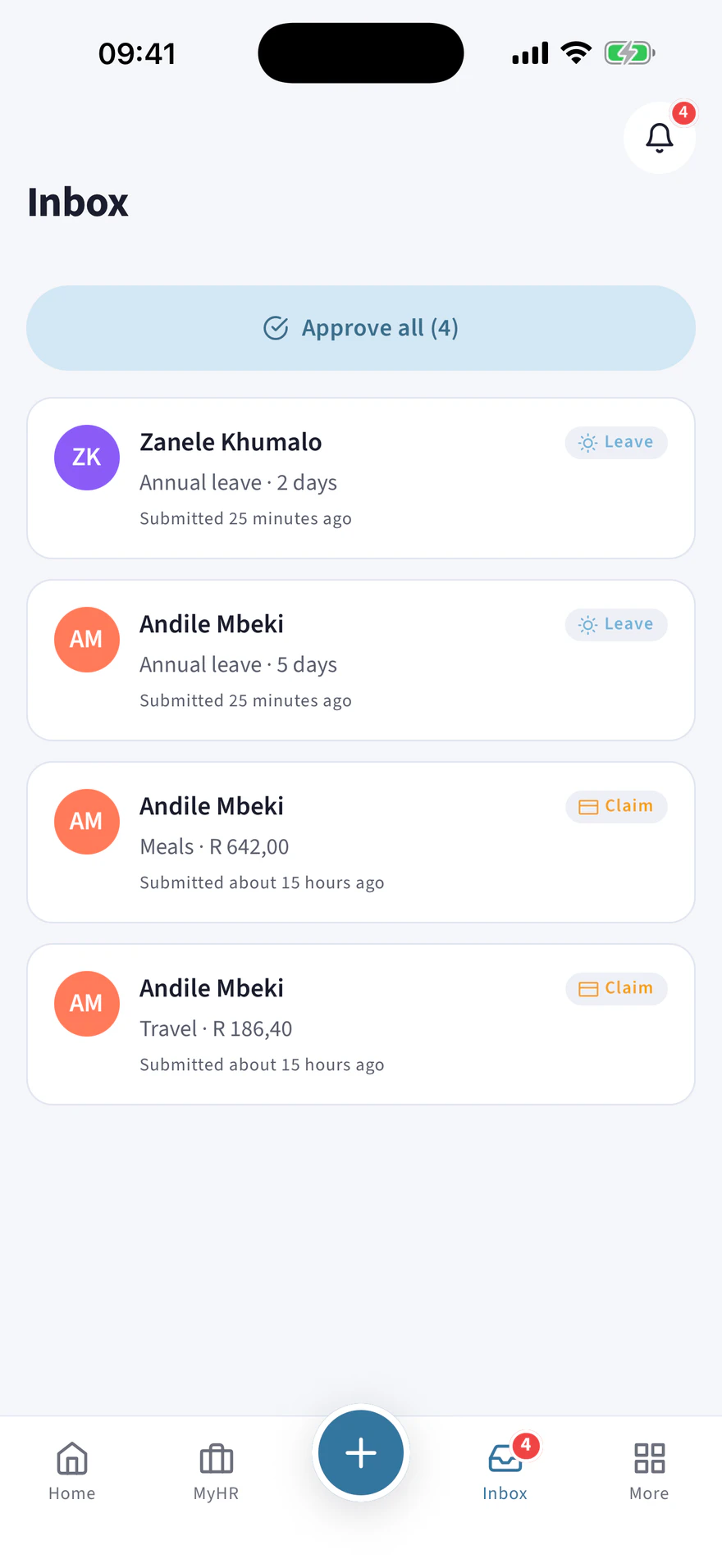
A manager’s HRify approvals inbox with leave, timesheet and claim requests
Approvals
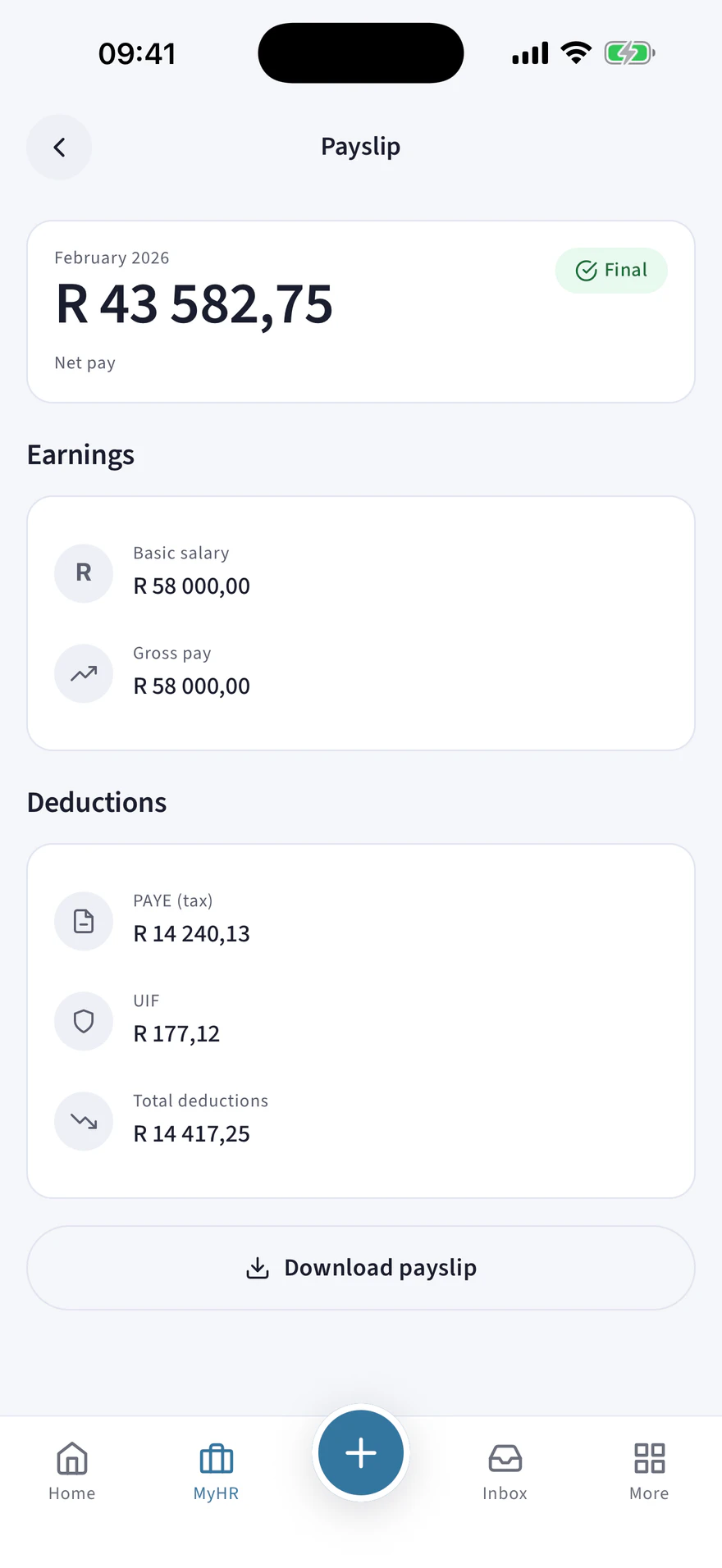
An HRify payslip on mobile with a full earnings and deductions breakdown
Payslips
The HRify mobile home screen in dark mode
Dark mode
For your staff and managers

What they can do in the app

  • Apply for leave with a doctor’s note attached, fill in a week’s timesheet, or run a timer while working.
  • Photograph a receipt and submit the claim straight away.
  • Read a payslip with the full breakdown, hide the net pay with a tap, and download the PDF, for example for a bank or a landlord.
  • Look up a colleague, see the org chart, see company events and public holidays, read and sign a policy, give someone recognition, and answer a survey.
  • Report an incident, anonymously if they choose. They get a reference number, so they can follow up without identifying themselves.
  • Managers approve leave, timesheets and claims from one queue. They swipe right to approve, swipe left to decline, or approve everything at once.
Security on the device

How the app protects information on the phone

  • By default, the app opens only with Face ID or a fingerprint. On a phone without those, it asks for the phone’s passcode, so the app is still protected.
  • Screenshots and screen recording are blocked on the screens that show money, health, disciplinary or identity information, and the app is blurred in the app switcher.
  • Notifications do not show details. A notification says that a leave request needs review, but not whose it is or what it is for.
  • There are no push notifications for disciplinary and payroll matters, because even the title would reveal too much.
  • Downloaded payslips are removed from the phone after a set time, and when the person signs out.
  • Microsoft 365 sign-in and two-factor authentication are both supported.

A web app and a mobile app that use the same data

The web app is for administrators, managers and finance. The mobile app is for everyone else. Both show the same information at the same time.

See HRify with your own payroll figures

Bring the figures for a payroll month you have already run. In the demo, HRify checks each of your employees against SARS rules and shows you what it finds.