 HRIFY
HRIFYHR software for South African employers, small and large
HRify keeps one record for each employee, from the day they accept an offer to the day their certificate of service is issued. It is priced per employee, so the same product suits a team of ten and a workforce of several hundred.
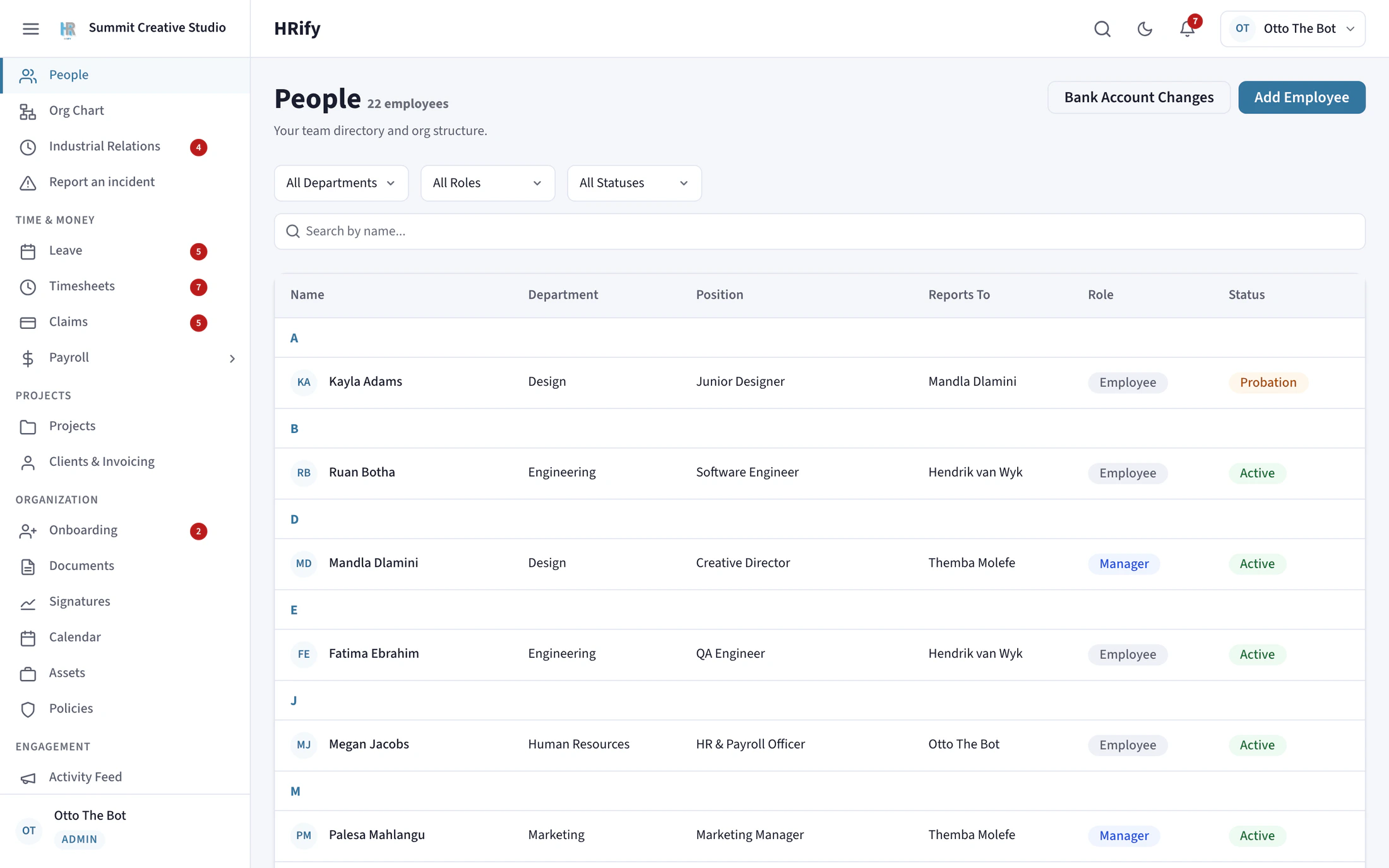
One record for each employee
The employee record covers leave, disciplinary history, documents, company assets, payroll, deductions, loans and travel. HRify also holds the org chart, departments and reporting lines.
- A change to someone’s bank details goes into a separate queue for a second person to approve.
- When someone leaves, their certificate of service and UI-19 form are generated from the record, already filled in.
- Deleting an employee anonymises their record. Their identity is removed, but the payroll and audit history is kept, because SARS still requires it.
Everything from hiring to leaving
Recruitment
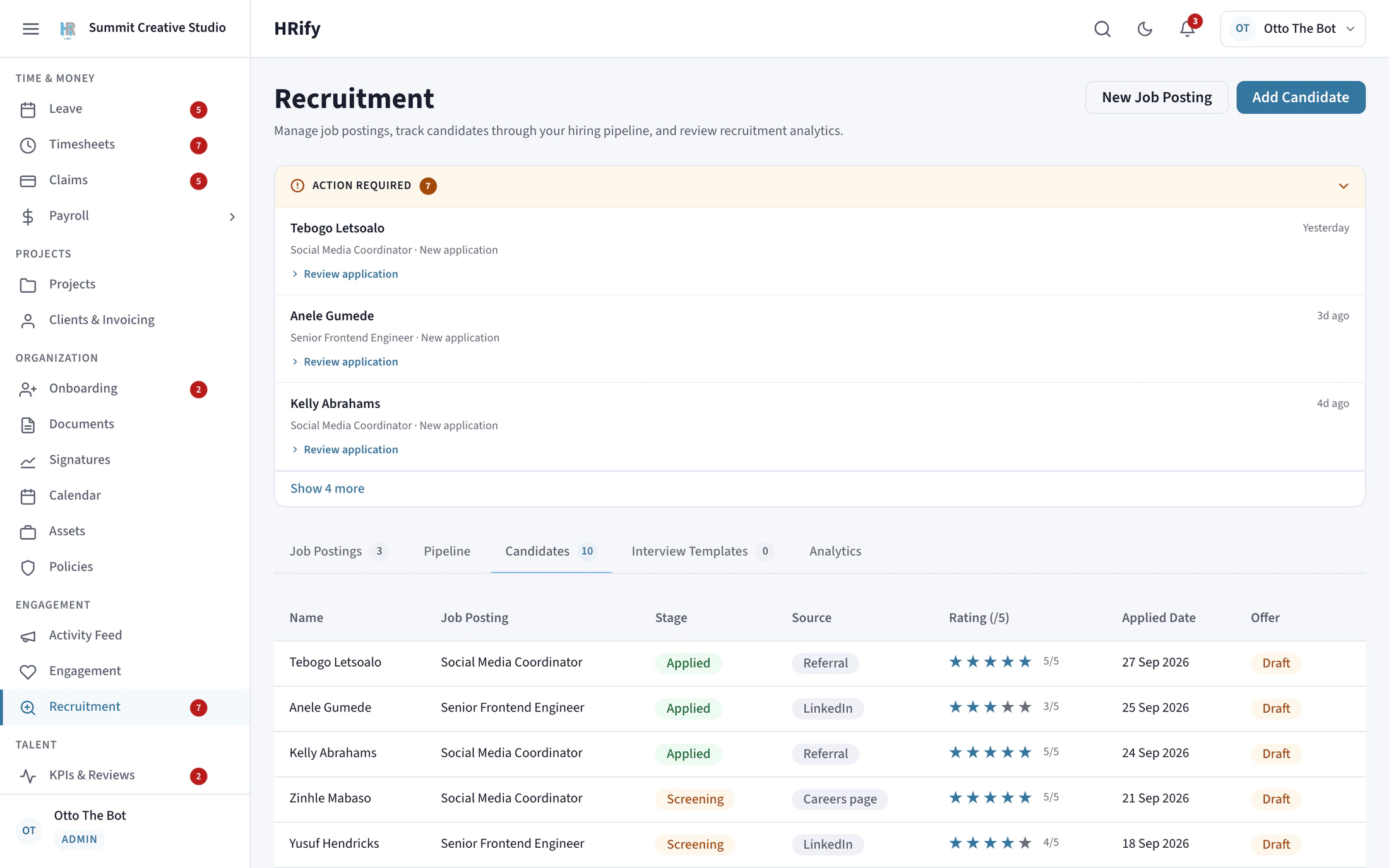
Track every candidate: the stage they have reached, how the interviewers scored them, and whether an offer has gone out. Candidates sign their offer online and do not need a login.
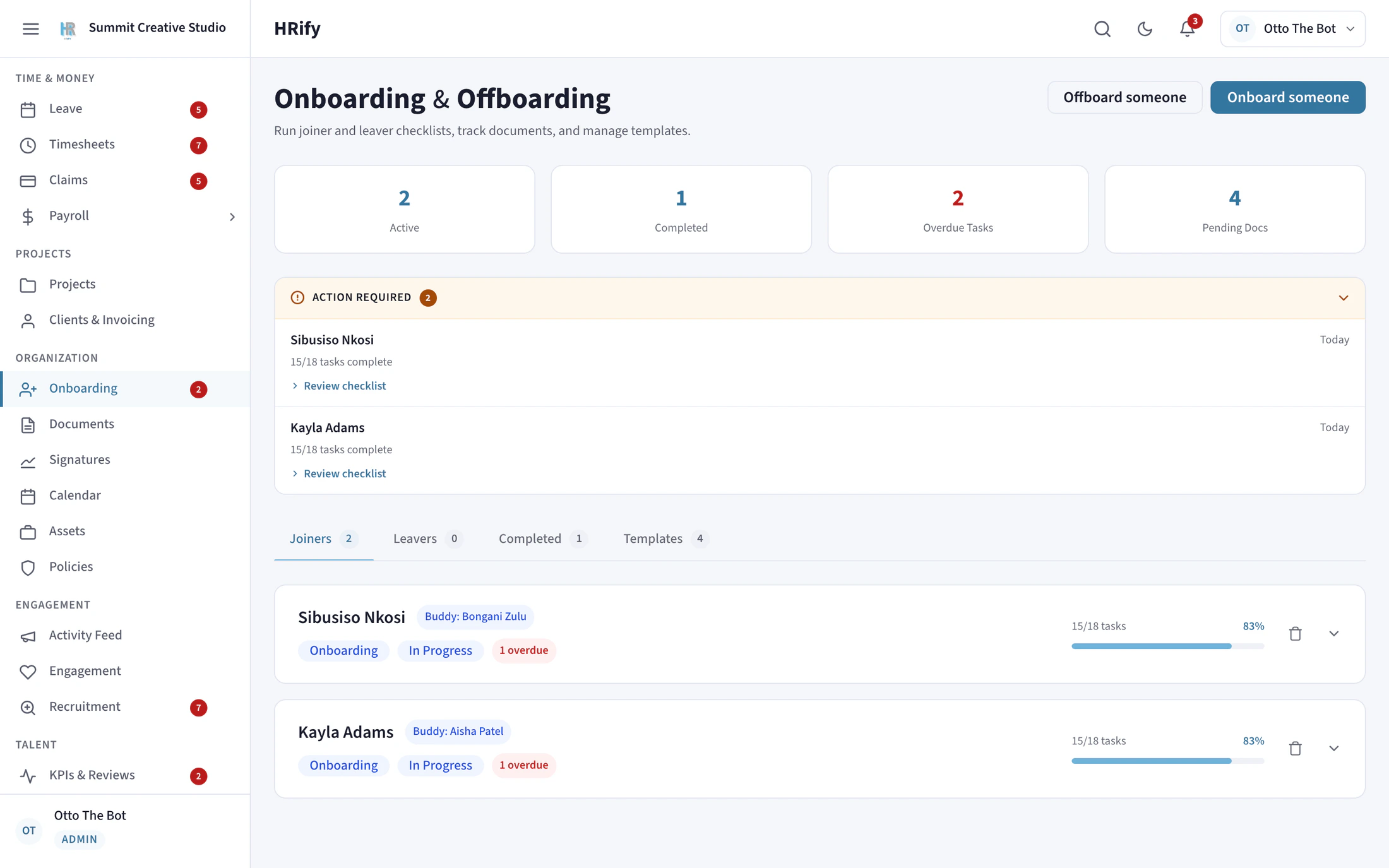
Onboarding
As soon as a candidate accepts an offer, HRify creates their onboarding checklist: tasks with due dates, documents to sign, equipment to issue and a buddy to meet.
Leave
Every statutory leave type is included, and the balances follow the BCEA. More about leave.
Documents and policies
A company document library where you choose who can see each document. Publish a policy, then see who has read it. HRify reminds those who have not.
Reviews and learning
Performance review cycles include a self-assessment, the manager’s review and feedback from project colleagues. Courses have quizzes and certificates, and HRify produces the figures for your WSP/ATR submission.
Disciplinary cases
Manage cases, hearings, appeals and warnings, each with the paperwork it needs. The CCMA referral period is counted from the correct date.
Payroll
From the Professional tier, payroll runs from the same employee record. More about payroll.
Offboarding
When someone leaves, they get an offboarding checklist. It includes the exit interview and lists the company assets that must be returned.
Mobile app
Staff apply for leave, read payslips and sign policies from a phone. Managers approve requests from one queue. More about the app.
Pricing for small and large employers
HRify is charged per employee, per month, in rand, excluding VAT. The same three tiers apply whatever your size.
Small teams
Each tier has a monthly minimum, from R790 on Starter, so a small employer pays a fixed, known amount and gets the same product as a large one.
Up to 300 employees
The first 100 employees are charged at the tier’s rate, from R52 each. Each employee from 101 to 300 is charged at a lower rate.
Above 300 employees
We work out a price based on your own numbers and confirm it in a written quote. Ask us for a quote.
Work out the monthly cost for your headcount on the pricing page.
Controls that matter more as you grow
A larger organisation has more managers, more approvals and more people who could see sensitive records. These controls are included for every customer, whatever their size.
Managers see only what they need
A manager viewing someone on their own team does not see that person’s ID number, bank details, date of birth, medical aid, employment equity data, performance rating or signature. These fields are not partly hidden: they are not sent to the manager’s screen at all. A manager does not need to know where someone banks to approve their leave.
One login for more than one employer
A person’s identity is kept separate from their employment, so the same person can be an administrator at their own company and a manager at a client. An external accountant or HR consultant needs only one account, not one for each client. When you remove their access, it stops immediately, not the next time they sign in.
Two-step verification you can require
You can require two-step verification for particular roles, so everyone with payroll access has to use it. It applies when they sign in, when they use Microsoft 365, and when their session renews.
Your own approval chain for each module
You decide who approves what, in what order, and whether a step can be handed to someone else. For example, leave can need one approval and payroll three.
The security page has more on access and data protection, and the compliance page has more on South African law.
See HRify set up for your organisation
Tell us how many people you employ and how your departments are structured, and we will show you HRify set up that way.